A home screen for any TV or box with Android TV or Google TV
Films first. Apps second.
Turn on the TV, pick a mood, press OK. No sponsored banners, no tracking, no account — just tonight's film, your games, your channels and your home.
- TVs & boxes
- Android 7.0+
- 8 MB
- GPL-3.0
- No root
- No computer
Likhtar means lantern in Ukrainian. It helps you find something worth watching, then lets the film take the spotlight.
A first look
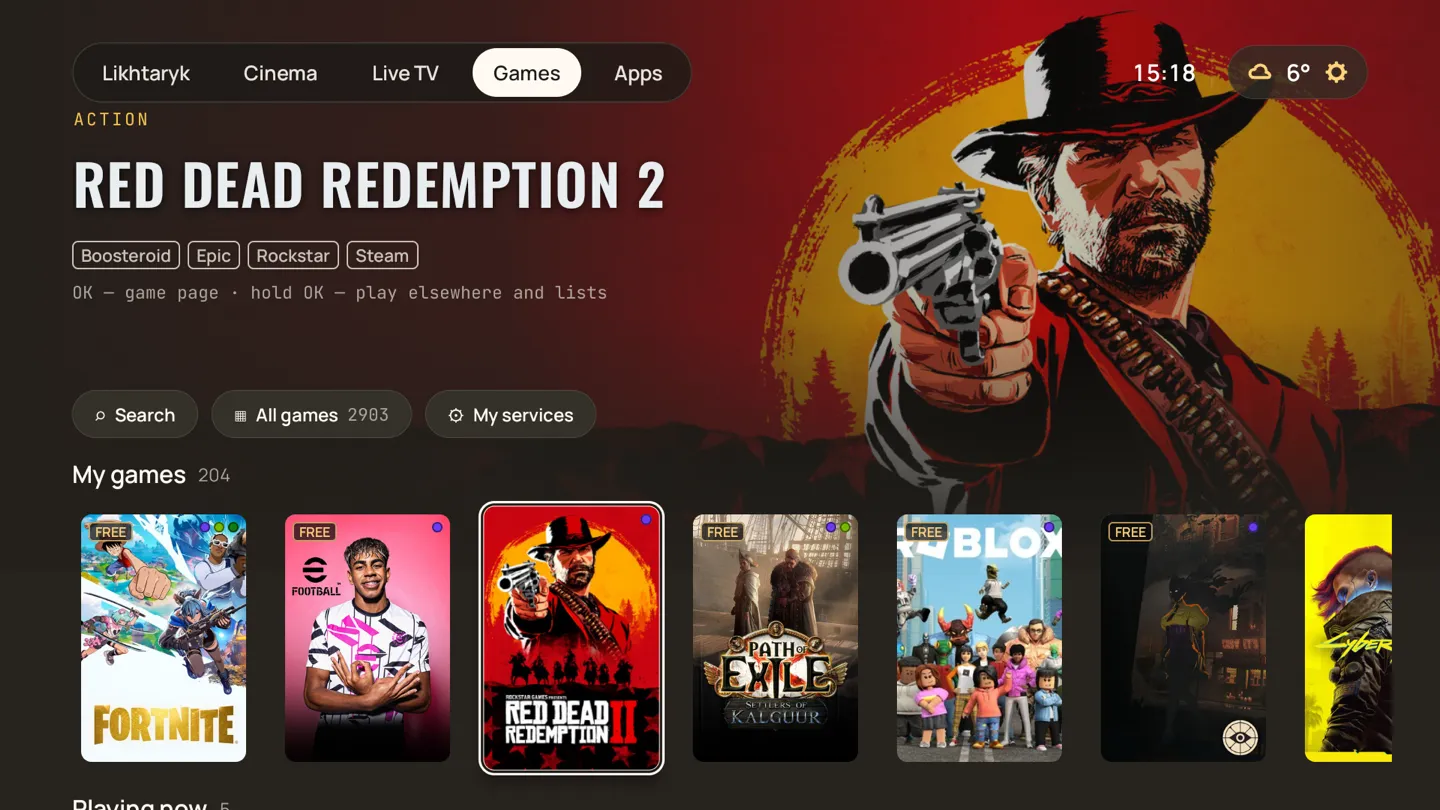
See Likhtar in action.



Before and after
Same TV. Different evening.
On a TV with Google TV built in or on a set-top box — anything running Android TV or Google TV, Android 7.0 and newer.

Take the remote
Built for the remote.
← → Try it with the arrow keys.
Bring your own AI · optional
Ask for a film in your own words.
An AI film advisor that works in any country, needs no Google account and runs on the model you choose — in your language, on any TV or box with Android TV.
- Your key, your model. Claude, OpenAI, Gemini, OpenRouter — or a model on your own computer with Ollama or LM Studio, free and private.
- Straight to the provider. Your request goes directly to the AI provider you choose. Likhtar's server doesn't receive it.
- We check every title. Each suggestion is matched against TMDB by title and year before it's shown.
- Season recaps. A short retelling of the last season, from the episode summaries.
something like Interstellar, but lighter
LikhtarykYou want space and wonder without the heartbreak — The Martian: survival, science and a lot of jokes.
Also: Guardians of the Galaxy, Arrival, Contact
Without an AI, mood picks and search still work.
Easy to install, easy to make yours
Your phone does the hard part.
- 01
Install from your phone
Turn on debugging on the TV, open Likhtar Installer on an Android phone, press Find the TV, then Install. No computer, no USB stick.
- 02
Arrange it from the sofa
Scan the QR code in settings: put the sections in your order, choose which Cinema rows show, hide the services you don't use.
- 03
Never type with the remote
Passwords, playlist addresses, links and files go from your phone straight to the TV.
Safe to try, easy to undo
Try it without losing the screen you know.
- 01
Install and look around
Open it like any app. Nothing on the TV changes until you ask.
- 02
Make it your home screen
One confirmation on the TV. The stock launcher is disabled, not removed — and your Wi‑Fi is checked first.
- 03
Changed your mind?
Settings → Home → HOME button → Bring back the stock home screen. And if Likhtar ever crashes three times in five minutes, it hands the home screen back by itself. Uninstalling? Press that button first — otherwise the TV is left without a home screen (how to fix a black screen).
Your data stays yours.
Stays on your TVHistory, lists, profiles, PINs and settings.
Stored encryptedKeys, tokens, passwords and playlist addresses — with a key that never leaves the device.
No ads, no analyticsNo account, no sign-in, nothing sold. Film data comes through a small read-only gateway that keeps no request log.
How it grew
From a plugin to a home screen.
A small plugin that gathered studio collections into a media app's sidebar.
Likhtar appears — a custom home page with banners and title logos, Ukrainian first.
Likhtaryk, the film advisor, is born — on a local model at home.
The plugin hits the walls of someone else's app. The native launcher begins.
Reality, title pages, franchises, a focus system rebuilt for the remote.
A public build without a home server, settings from your phone, bring your own AI.
0.4.0: a new look, a games catalog, a series tracker and calendar.
Where it began is still public: the original plugin on GitHub. The launcher's repository starts fresh with its first public release.

Support Likhtar.
Likhtar is free and will stay free. If it made your evenings a little easier, you can chip in.
Tonight, just press OK.
Android TV and Google TV, Android 7.0 or newer. Install from an Android phone, with Downloader, a USB stick or adb install. How to install.
From the same author